Don’t be hard on yourself, selling is really for everyone! Become a seller in a few simple steps. Ready to make money? We’re the place to connect. Become a seller with us today and find the right space to get paid for your product or service. Fill in the information below to get started on your money-making journey.
Become A Seller
Follow the steps below in order to become a Trade Buddy store and start selling your products online.

Step 2a
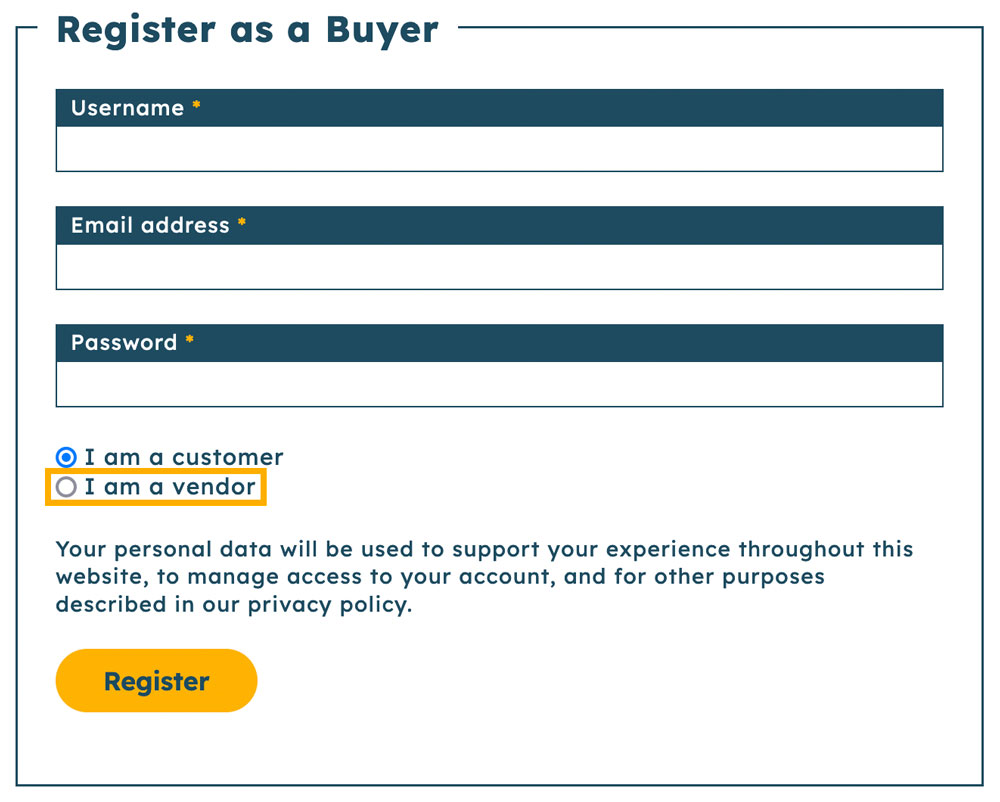
If you do not have a Trade Buddy account, select “I am a vendor” under the registration form. Fill in all required fields and then click on “Register”.
Step 2b

If you already have a Trade Buddy customer account, login instead. Once you have logged in, you should see the option to “Become a Vendor” on the account dashboard. Complete the form once the page reloads.
Step 3
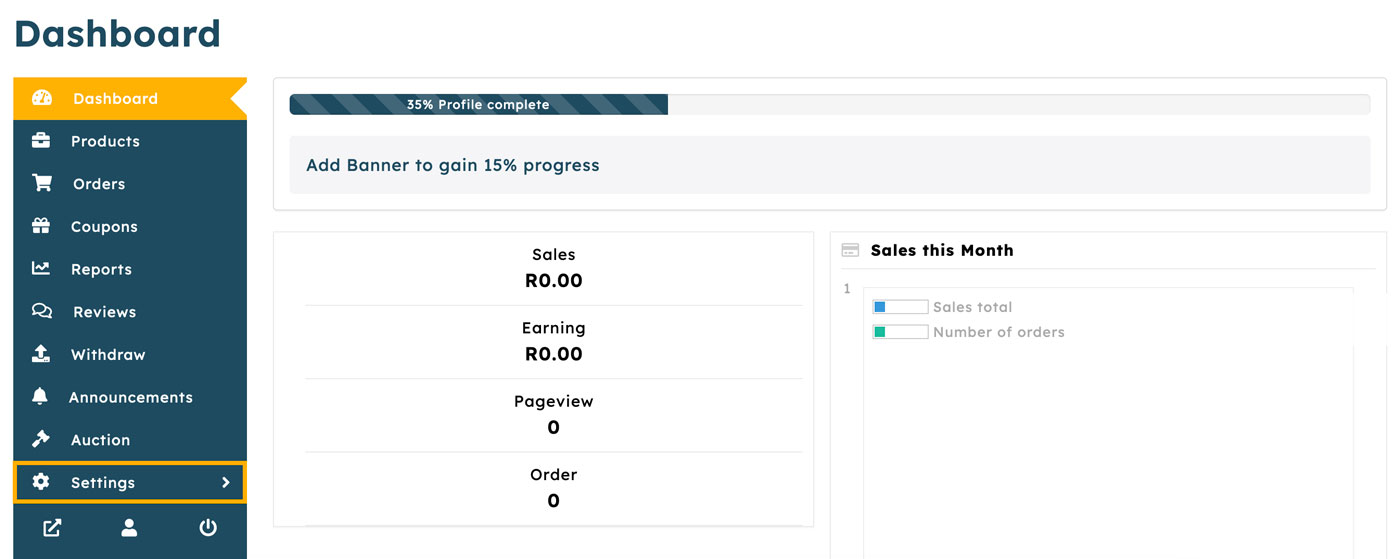
Once you have signed up to become a seller, you will be able to access the vendor dashboard, here you will be able to view everything related to your online store. In order to complete the setup of your store, click on “Settings” in the dashboard sidebar.
Step 4
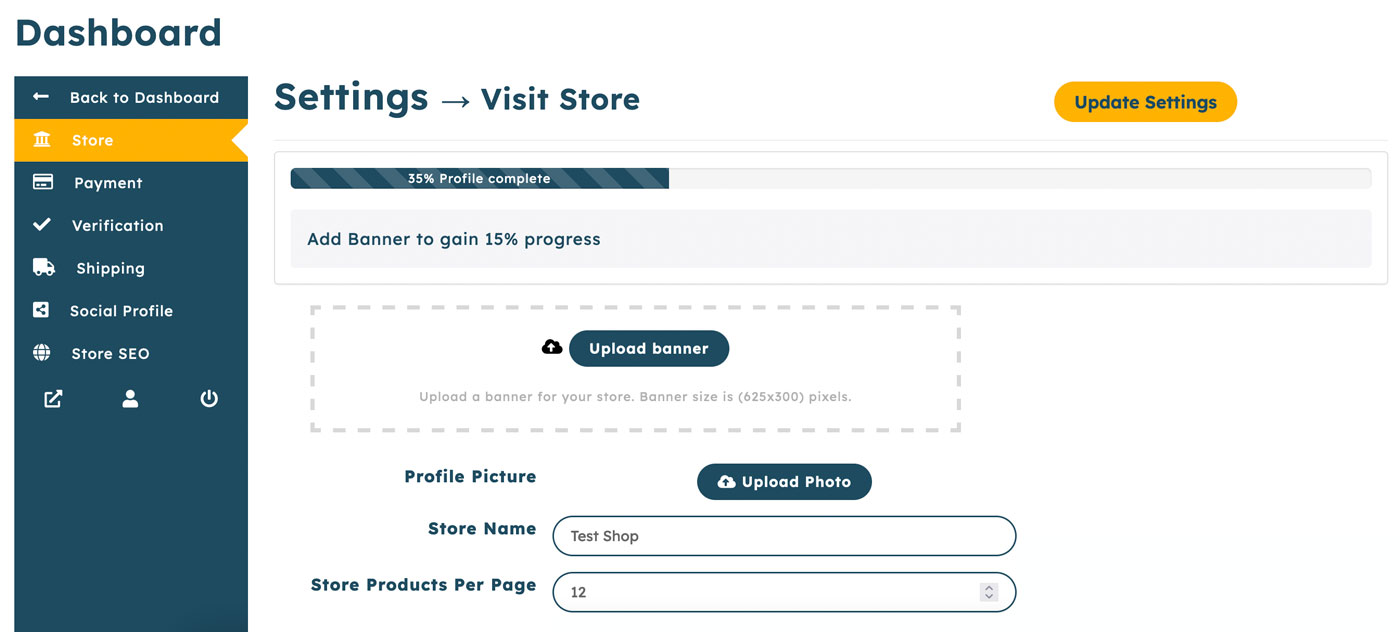
On the Settings page you will be able to complete the setup of your vendor profile. Upload a banner and logo, and fill in your store details.
Step 5
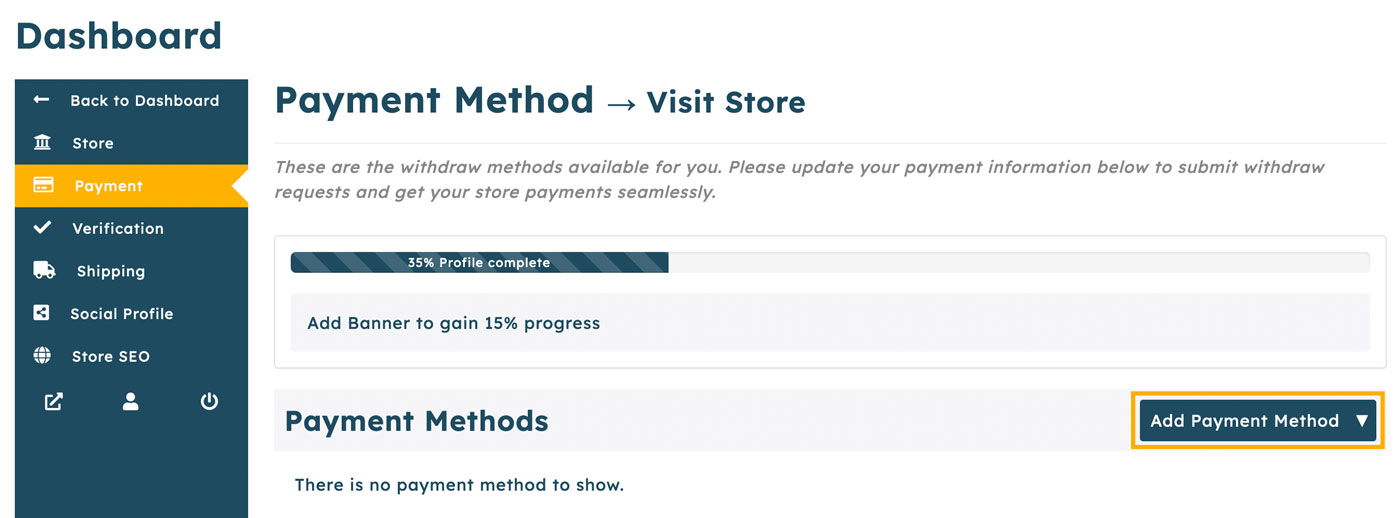
Click on “Payment” in the sidebar, here you can add a payment method for your store. Hover over “Add Payment Method” and select the payment method you want to add and fill out the required information.
Step 6
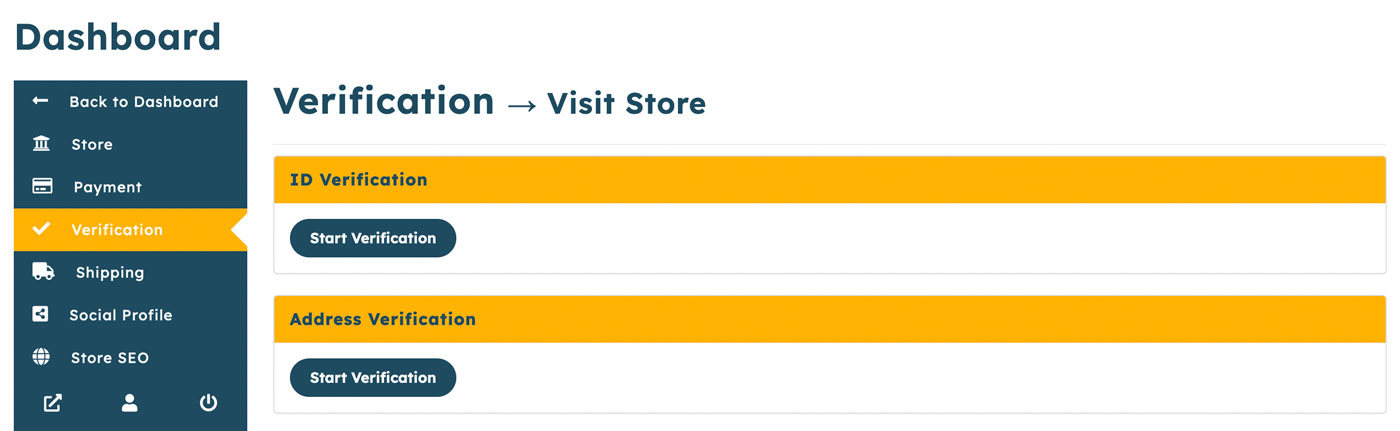
In order to become a Trade Buddy verified store, you will need to submit documents for review. Click on “Verification” in the sidebar, you can then upload proof of identity, address and company details. Note that you are not required to be verified in order to sell.
You’re all set! When you’re ready to start adding products to your store, you can add them here.